 SHENDZO
Mobile video
How to record a video with a teleprompter on iPhone
A short script and a comfortable scrolling speed can help you keep your place. Start with a test take.
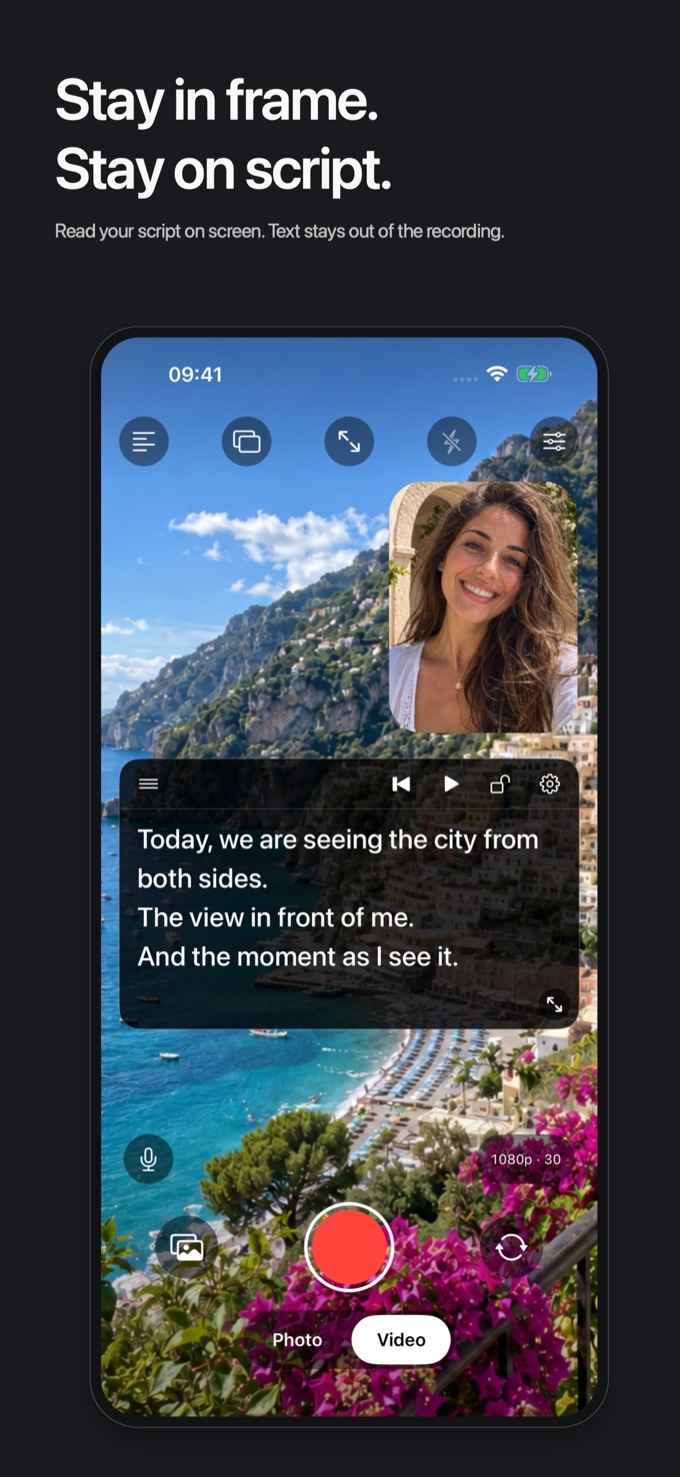
Before recording, you know what you want to say. Once the camera is rolling, the next sentence can disappear. A script near the lens keeps the sequence in view without switching to a notes app.
Write for speaking
Read the script aloud. A long sentence may look fine on the page and still be difficult to say in one breath. Break it into shorter thoughts and leave natural pauses between them.
Set the window and speed
In our app Dual Camera, the teleprompter is included with Both Sides Pro. You can move the text nearer the camera and adjust its size, scroll speed and window position. The words appear while you record and are not included in the saved video.
Set the phone down securely and record a couple of sentences. If your eyes move noticeably across the screen, narrow the text window or move it closer to the lens. If you have to rush, slow the scroll.
Watch a short take
Listen all the way through. Check whether your voice is clear and whether you have enough time to finish each thought. Then adjust the script or pace before the main recording. Simultaneous capture depends on iPhone model support.
Dual Camera
The teleprompter is included with Both Sides Pro. Pro also removes the watermark from new recordings.

