 SHENDZO
Mobile video
Split screen or picture-in-picture: how to show two camera views
A reaction and a conversation call for different layouts. Here is how to choose the space each camera gets before you record.
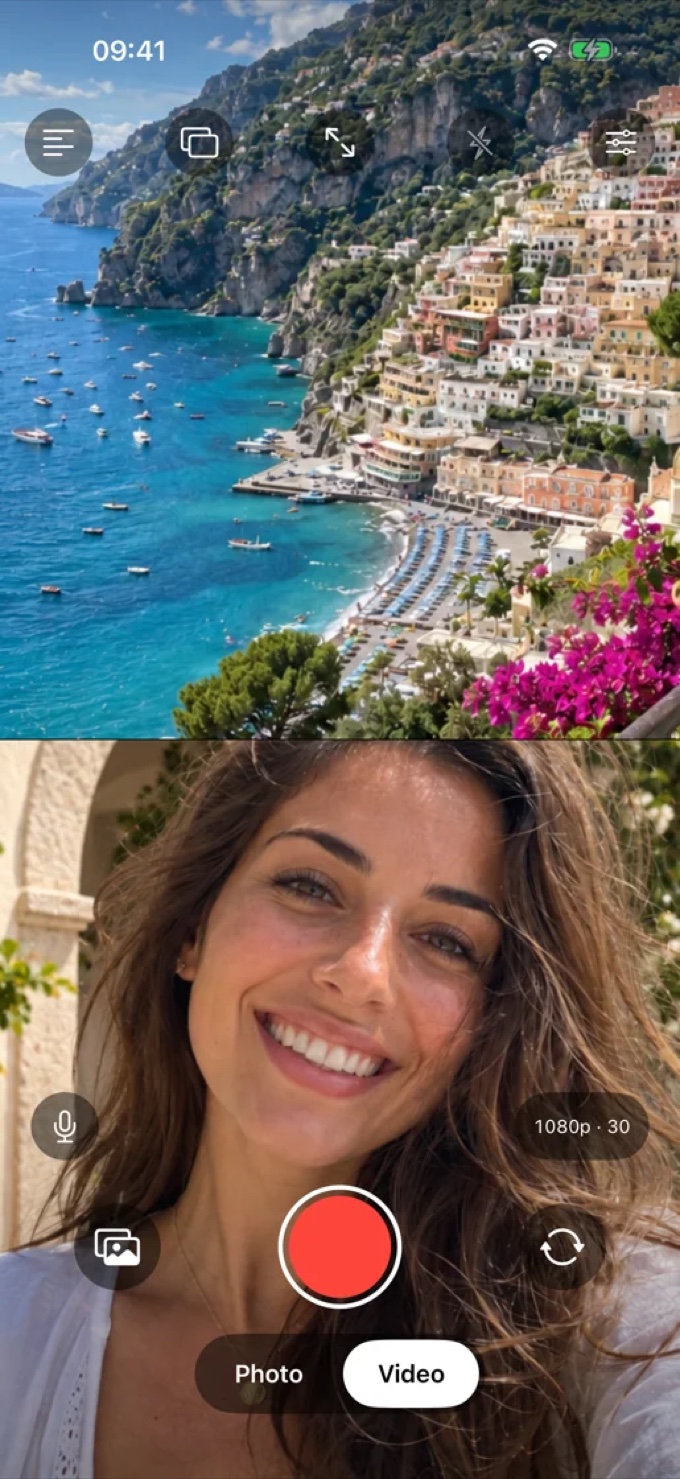
You are filming a friend opening a gift and want to keep both the gift and your reaction. The next decision is how much room to give each view.
When a small window works
A circular window is useful when the action matters more than the reaction, such as showing a route while you comment. In our app Dual Camera, you can move and resize the window. Check that it does not cover a face or an important part of the scene.
When to split the screen
For a conversation, try stacking the views so both people remain easy to see. Sit where each person has enough room and check that neither the top of the head nor the chin is cut off.
The circle and top-and-bottom layouts are free on compatible iPhones. Other window shapes and layouts require Pro. Free recordings include a watermark.
Review a test clip
Record a few seconds and open the result on your phone. Something that seems small in the viewfinder may cover a useful detail when shared. It is easier to move the window before the main take.
Dual Camera
Keep two views in one video. Additional layouts and watermark-free recording are available with Pro.

